
Free Chrome extension
Learn English from every page you read
Select a word on any website to see what it means and hear how it sounds, then keep it as a flashcard with the sentence it came from. Save passages and whole articles to your journal, and keep notes beside the page.
For Chrome on a computer. Looking words up, flashcards and the journal need a free Biblinkage account; notes work without one.
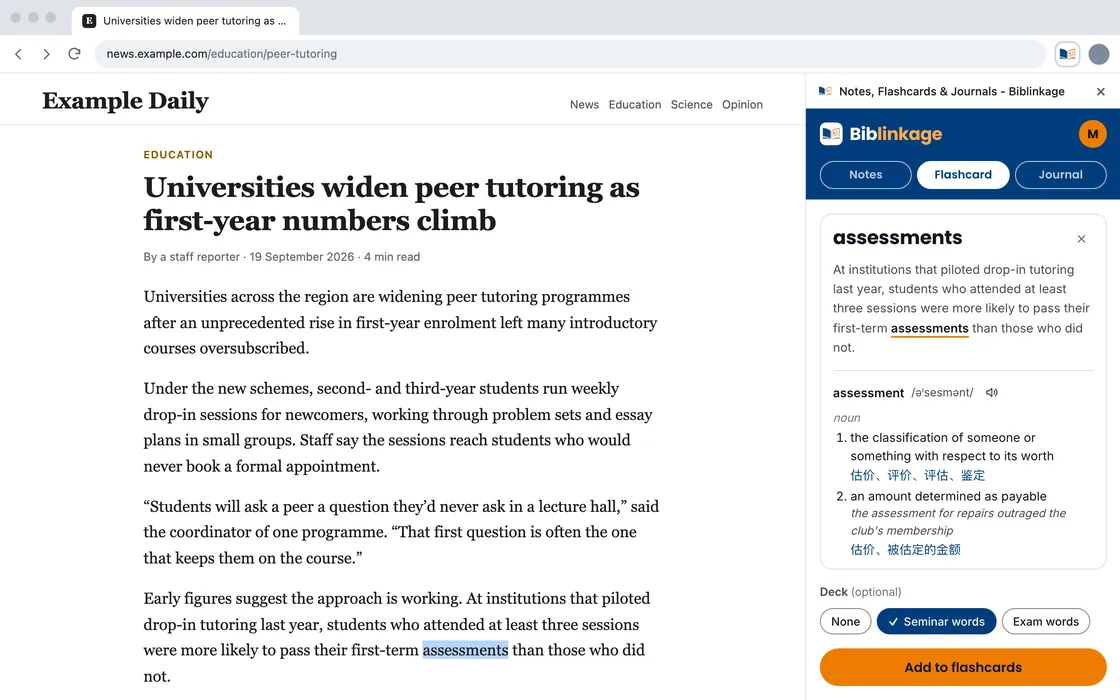
See how it works
01 · Flashcards
Look a word up without leaving the page
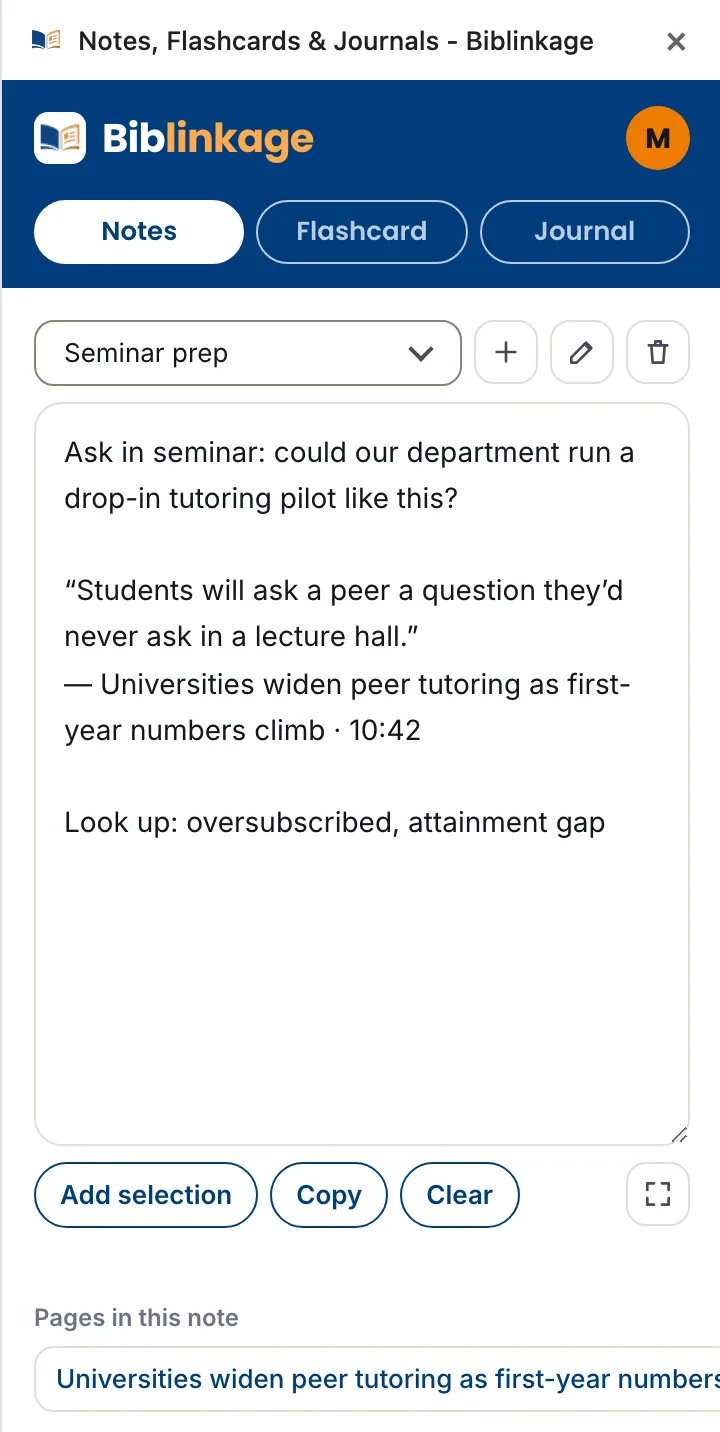
- Select a word or phrase and the side panel shows its pronunciation, with a button to hear it, and its meanings with examples.
- See the words for it in your own language, in 16 languages.
- Add it to your flashcards in one click. The card keeps the sentence the word came from and a link back to the page, and its meaning is written for that sentence.
- Review your cards on the Study page, on the website or the app.
02 · Journal
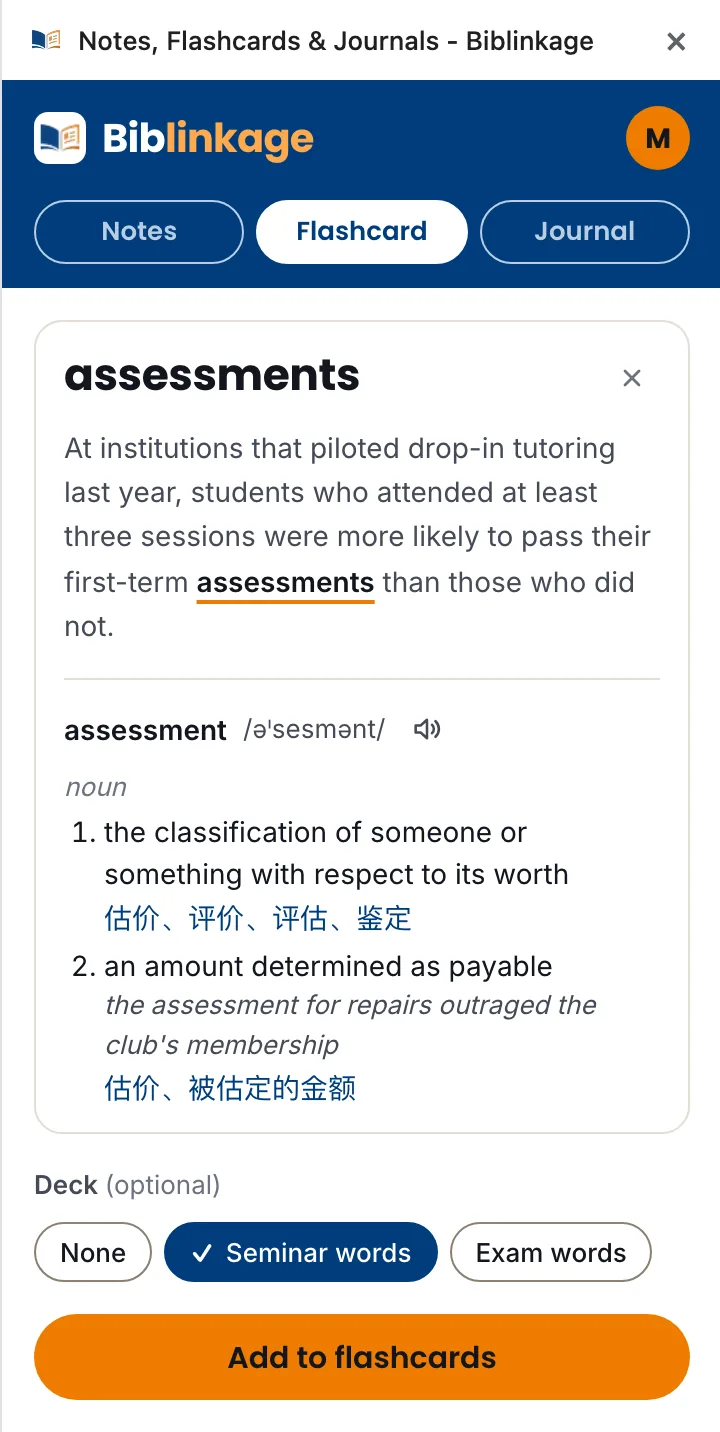
Save what you read to your journal
- Save the passage you select, or the whole article: its headings and paragraphs without the menus, ads and comments.
- Add your own note, and save to a new entry or add to one you already have.
- Every save keeps a link to the page it came from.
03 · Notes
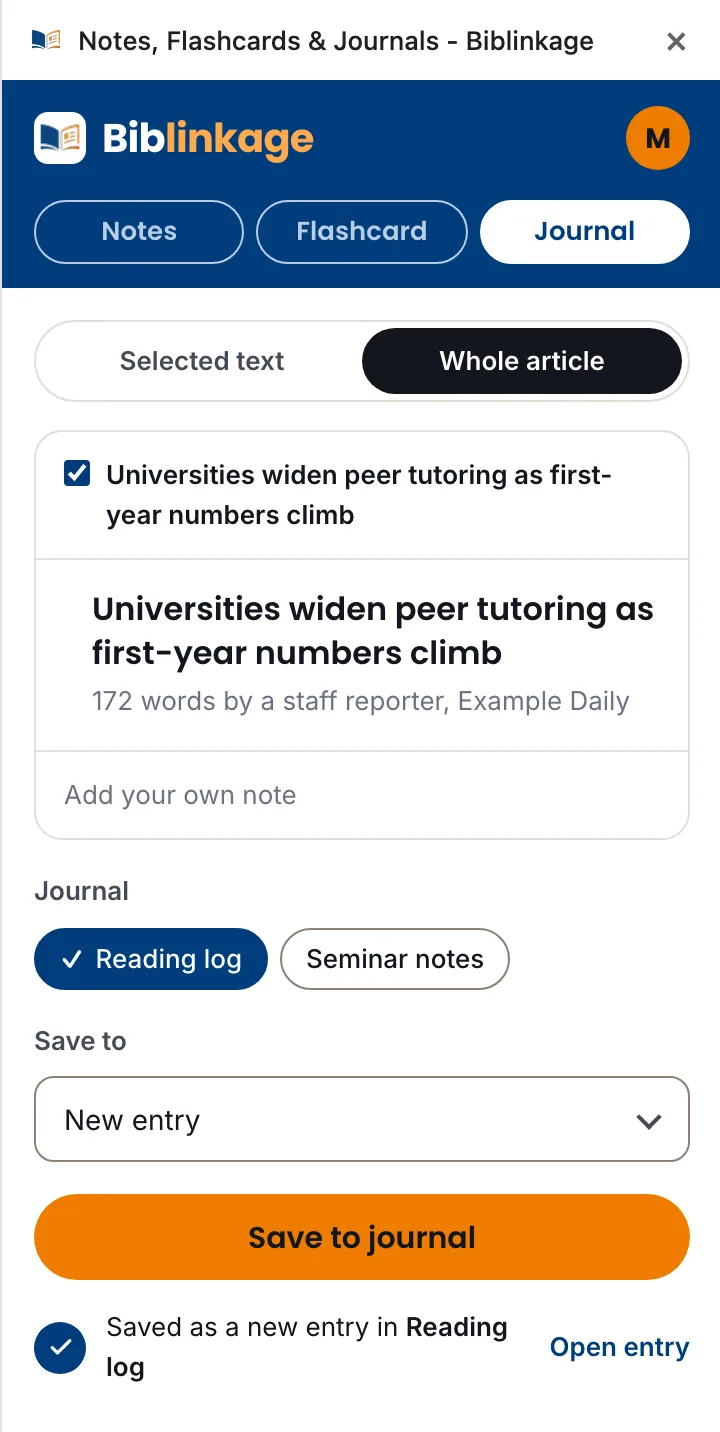
Keep notes beside every page
- A notepad that stays open while you read, across tabs: a question for your seminar, a word to look up later.
- Add the text you select, with the title and address of its page.
- Works without an account. Once you connect one, your notes are kept on it, and on the website’s Notes page too.
How it works
- 1Add it to Chrome. It’s free, from the Chrome Web Store.
- 2Connect your account. Click the Biblinkage button in Chrome’s toolbar to open the side panel, then connect your free account.
- 3Read as usual. Select a word or a passage, or right-click it. Alt+Shift+F adds a flashcard and Alt+Shift+J saves to your journal.
Your reading stays yours
The extension sends what you save to Biblinkage and nowhere else. Only the address and title of a page you save from are kept with what you saved; the rest of your browsing history is never collected. See the Privacy Policy.